

Publish application
This guide will walk you through everything you need to know to publish your applications in Bokio app using the developer portal.
Publishing Your Application to the Bokio Marketplace
Before submitting your app to the Bokio Marketplace, ensure it is fully tested and in Production mode. The marketplace submission form is designed to provide users with all the necessary information about your integration. You will need to navigate to Marketplace tab and fill out the details.
Marketplace accessAccess to publish integrations on the developer portal is currently limited to selected partners.
If you're interested, please contact [email protected] and we’ll help enable access for you after signing a contract with you.
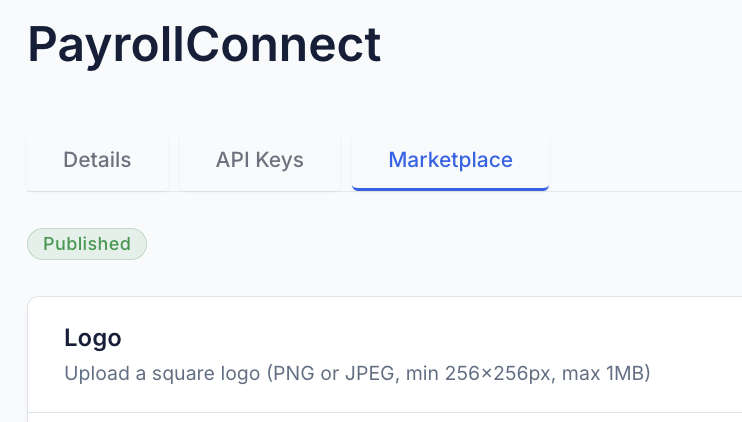
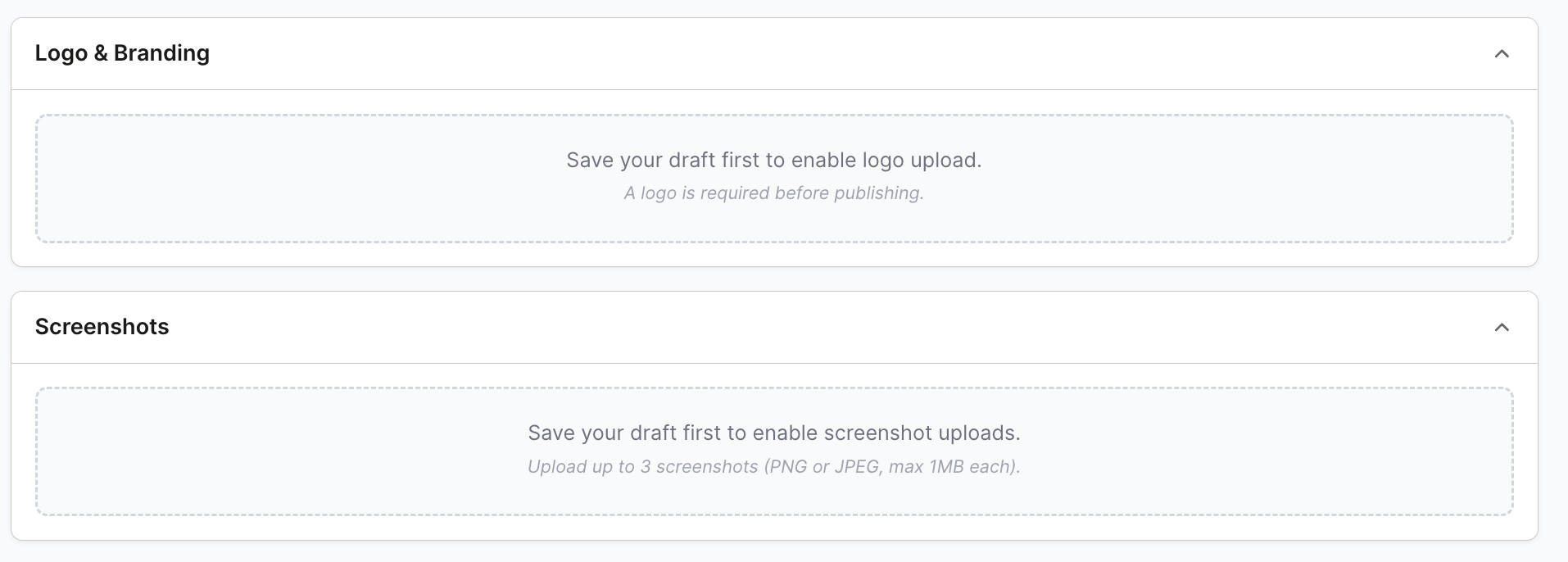
* Logo
For visual branding, the Application Icon / Logo should be a square image (e.g., 500×500 px) in PNG or SVG format.
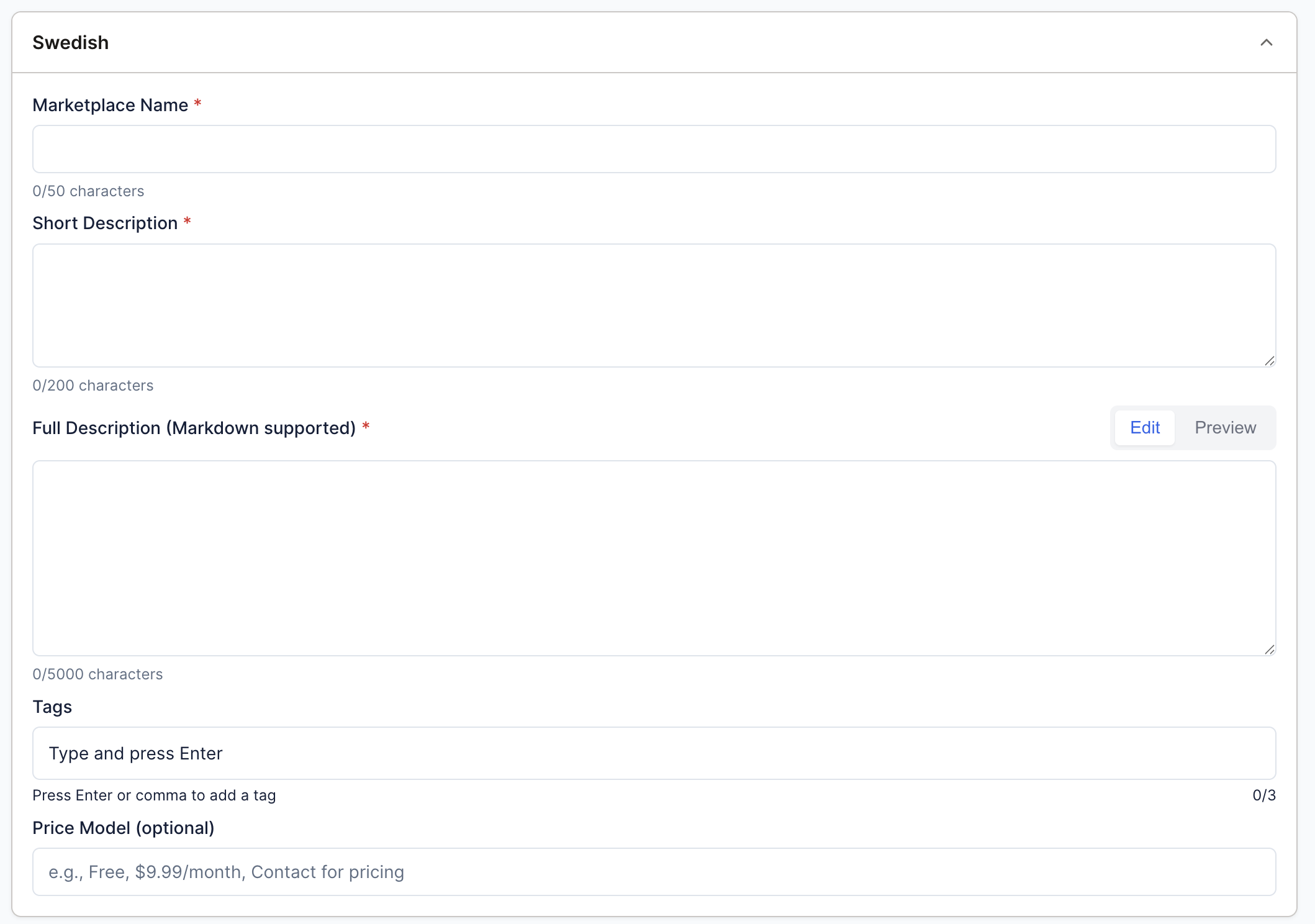
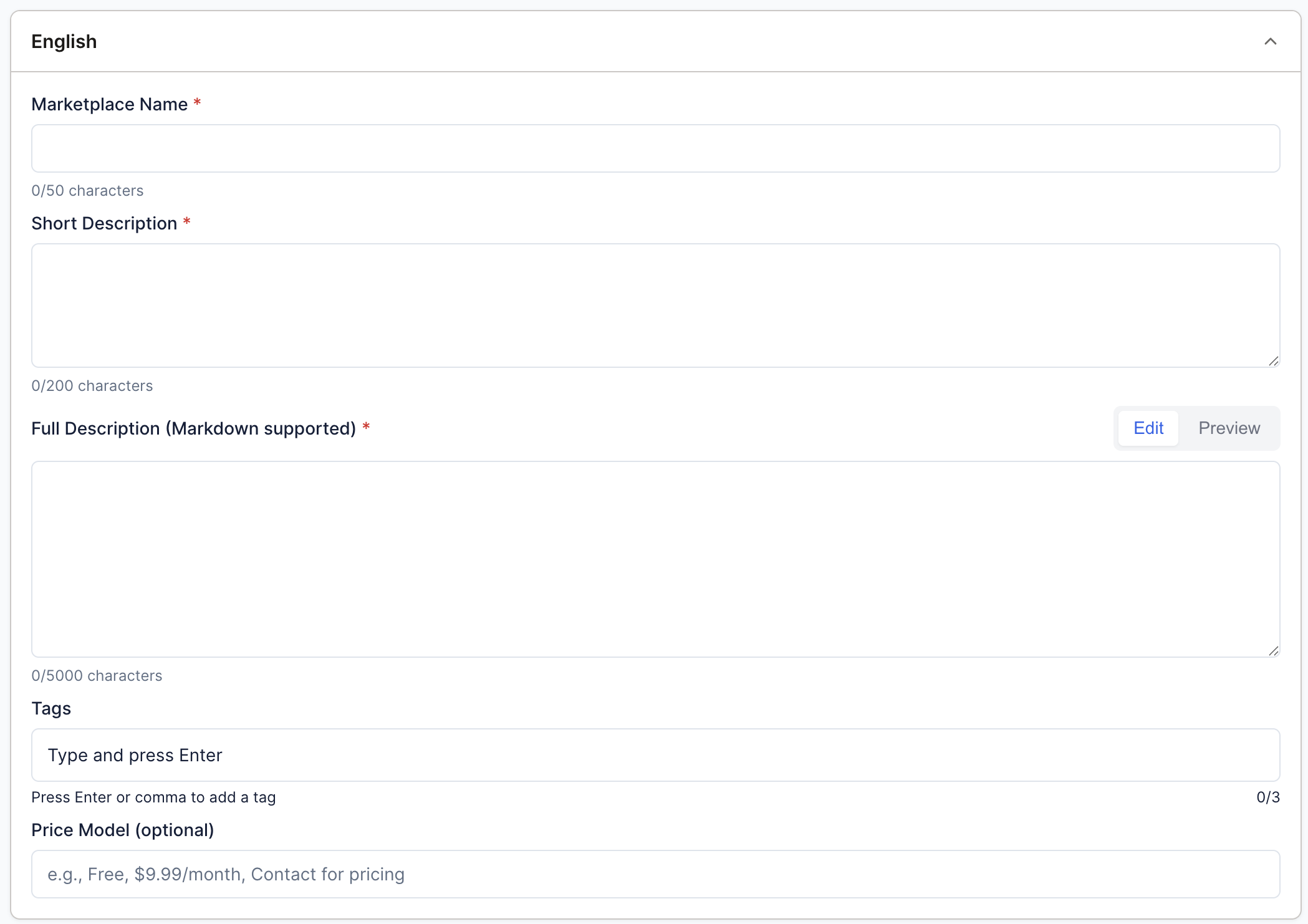
* Application Name
The Application Name is the name displayed to users and should clearly reflect the app’s functionality. Keep it concise and avoid generic terms like “Integration” or “App,” while making sure it aligns with your branding. You need to provide this in both English and Swedish.
For naming integrations developed by third-party developers (i.e., developers not part of the company using the integration), we recommend a clear and consistent format for the integration title. For example: “Stripe by Developer company” This approach clearly identifies both the integration functionality and the responsible developer. Many leading platforms follow a similar convention, appending the developer or company name to the integration title to ensure transparency, build trust, and maintain a consistent marketplace experience.
* Short description
The Short Description is a brief explanation shown in the listing. It should hook users and highlight the core functionality in a maximum of 200 characters. For example, “Automatically exports your VAT reports to third-party accounting software, saving time and reducing errors.” You need to provide this in both English and Swedish.
* Detailed description
The Detailed Description provides a longer explanation of your app, including its features and benefits. It should include three main sections: what the product is, how the integration helps (value proposition), and how to connect or set it up. Use Markdown formatting for readability and bullet points only when listing features or steps. This section should follow Bokio’s tone of voice, keeping instructions clear and user-focused. You need to provide this in both English and Swedish.
* Tags
These are additional keywords for broader searches (e.g., Accounting, Productivity, CRM). Include 0-3 relevant, specific keywords. You need to provide this in both English and Swedish.
* Price model
The Pricing Model must be clearly stated, specifying whether your app is free, freemium, or paid. Include pricing and frequency (e.g., “SEK 150/month per user”) and ensure it matches your website. Transparent pricing improves user trust and adoption. You need to provide this in both English and Swedish.
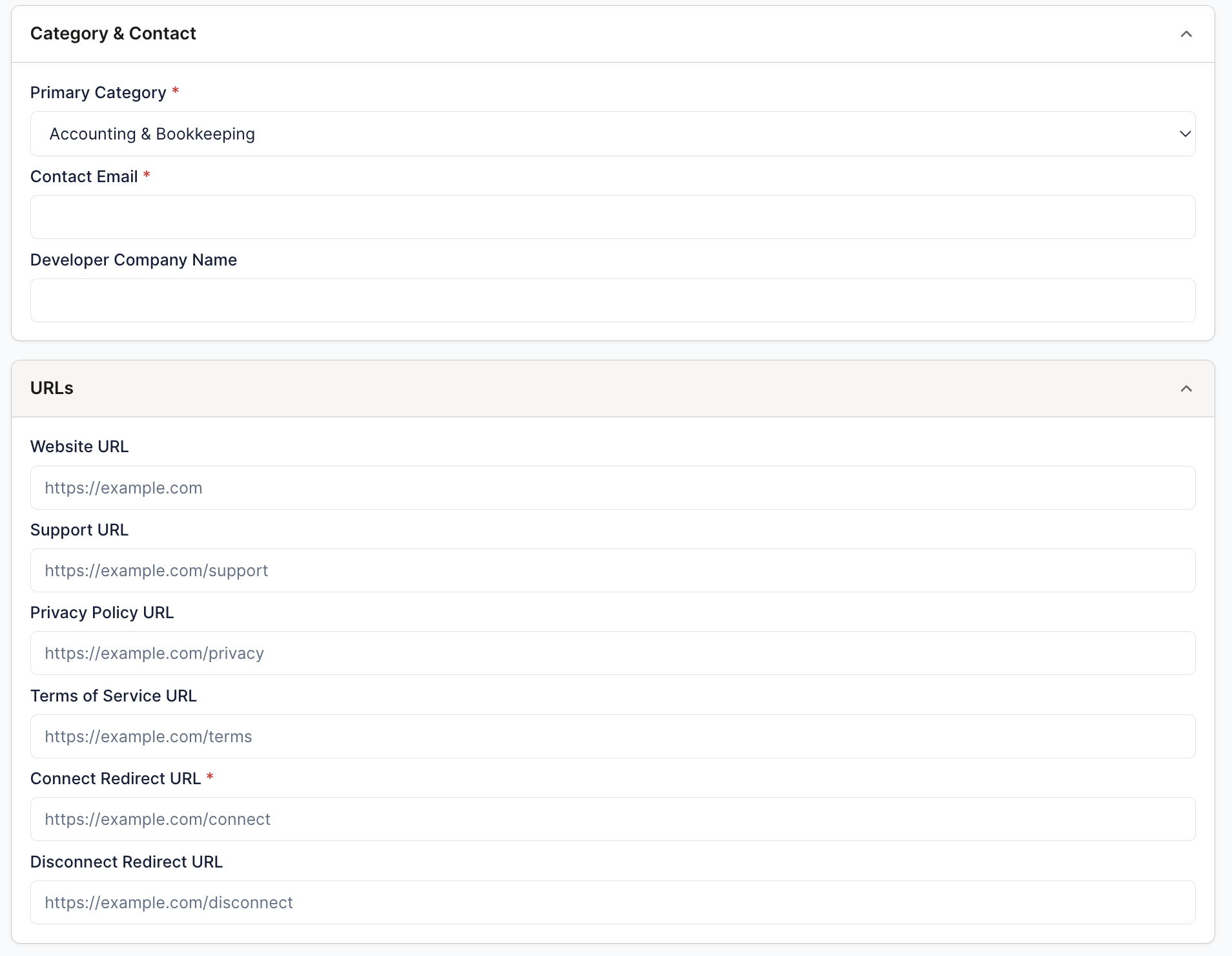
* Category
Select the appropriate Category to help users discover your app in the published integrations list. The allowed categories include Payment Processing, Accounting & Bookkeeping, Banking & Finance, Time Tracking & HR, E-Commerce, Productivity & Automation, and Invoicing & Billing.
* Website link
The Website / Documentation URL should provide users with additional information, setup instructions, API references, or FAQs. It must be accessible without login. A clear, well-structured documentation reduces support requests.
* Support link
Similarly, the Support Contact / Email allows users to reach you for any issues, questions, or feedback.
* Privacy Policy URL
The Privacy Policy URL links to your app’s privacy policy, explaining how user data is collected, stored, and used. Bokio requires this so users understand what happens to their information before authorization. The page must be publicly accessible, cover data handling practices, and include a contact for privacy-related inquiries.
* Terms of Service URL
The Terms of Service URL provides the rules, responsibilities, and limitations associated with using your app. Make it easy to read, include necessary disclaimers, and ensure it is publicly accessible.
* Connect URL
The URL Bokio redirects users to start connecting your integration via OAuth. Your server then handles authorization and token exchange before returning the user to Bokio.
* Disconnect URL
The URL Bokio redirects users to when disconnecting your integration. Your server can clean up, call the API to delete the connection, and redirect back with a status.
* Screenshots
Screenshots or media help demonstrate your app’s functionality and workflow; upload up to three screenshots and annotate them if necessary to highlight key features. Avoid generic images and prefer real app screens.
Preview before publishing
To preview and test your integrations before publishing them, you can define up to 5 test companies in Bokio. Any integration in draft stage will be accessible in these test companies, allowing you to verify everything works as expected before releasing it to all Bokio companies.
- Add test companies – Go to Settings and scroll down to Developer Testing Companies. Enter the Company ID of your test company and click Add. You can add up to 5 test companies. (Here's how to find your Bokio Company Id).
- Save your integration as a draft – In your integration, save your changes as a draft so it is ready for testing.
- Preview in Bokio Marketplace – Open Bokio in one of your test companies and preview your integration in the Marketplace to verify it looks and works as expected.
- Publish when ready – Once you are happy with the result, publish your integration to make it available to all Bokio companies.
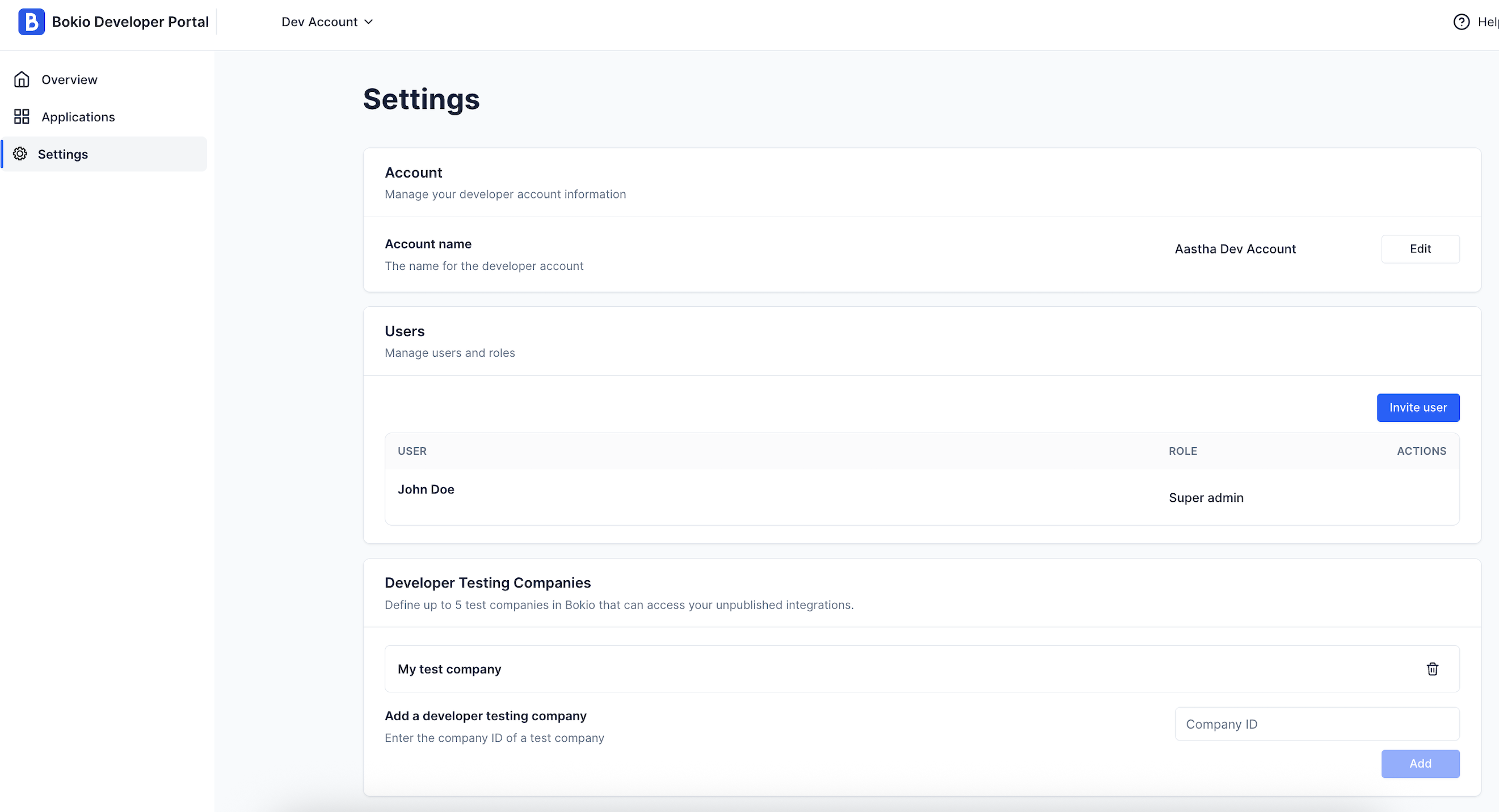
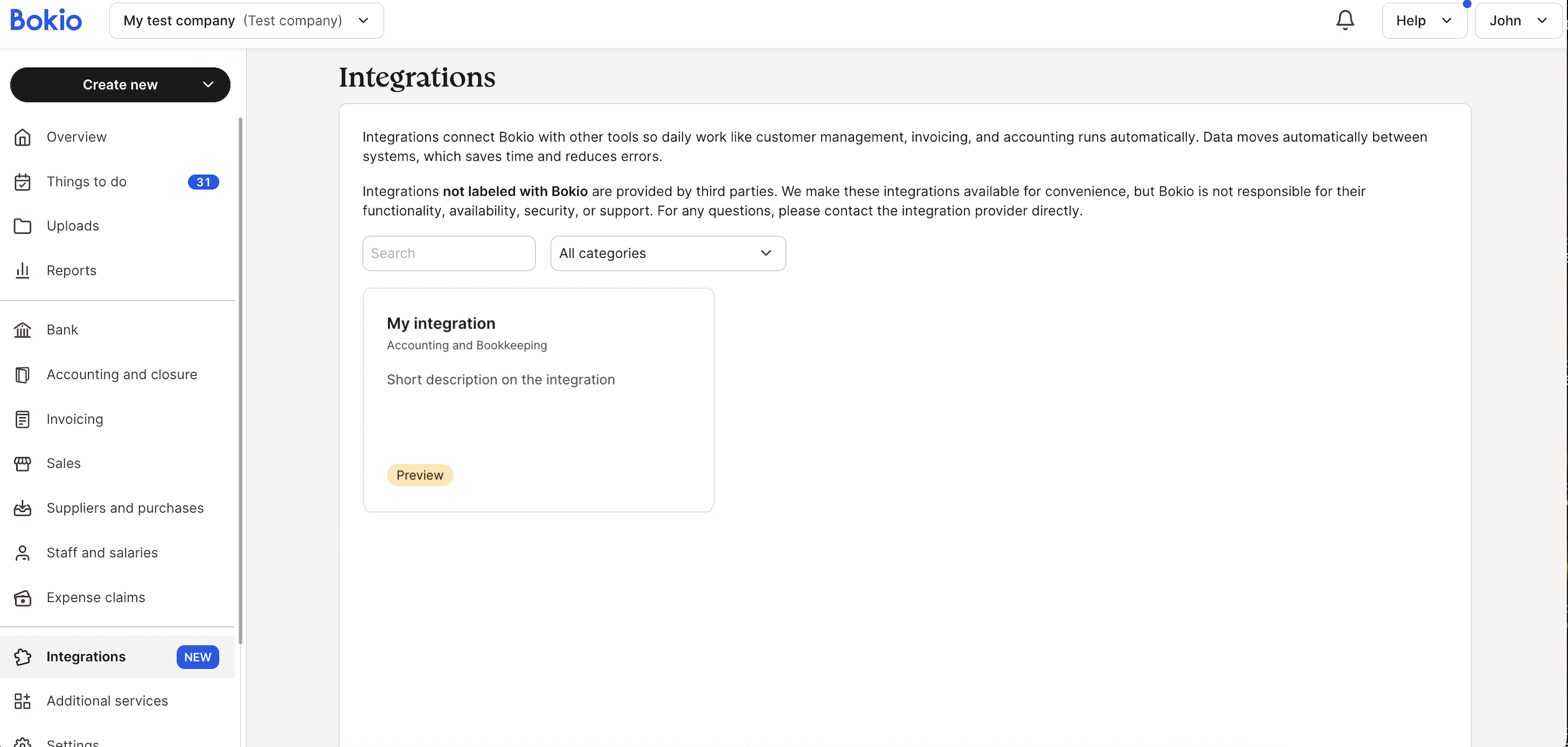
Notice how the test company which was added in settings was able to show the draft integration in the marketplace for testing.
Developer Tips & Best Practices
- Always test integrations in Test mode before creating it in Production mode.
- Never mix credentials for development with production credentials.
- Keep your documentation clear and user-friendly.
- Use HTTPS for all callback URLs and protect credentials.
- Monitor API usage and errors to ensure reliability, and update your app as Bokio APIs evolve or new features are released.
For additional help, contact Bokio Developer Support via support link, providing your app details and any error logs.
Updated 4 months ago